
Porting customer numbers
Table of Contents
How-to guide
Please note! As of February 2023, numbers can now also be ported to PhoneLine+ via the Gamma Portal’s number porting process. Information on how to port numbers can be found on the Gamma Academy’s ‘Numbering and Porting Certification’ course page.
You can port an existing number into PhoneLine+ on behalf of a customer.
Prior to placing a number port you must ensure that your Partner Details are complete and fully up to date within the PhoneLine+ Partner Portal. Failure to do this will result in the port failing to submit.
The ported number will appear within the customer profile and can be allocated to a user.
Note: For PhoneLine+ porting is only available for single line Geographic numbers with providers with whom Gamma hold existing porting agreements.
Click ‘Customers’ from the main menu and then select the customer you wish to port a number for.
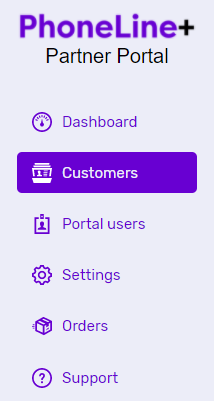
Click ‘Numbers’ from the customer menu and press the ‘Port number’ button.
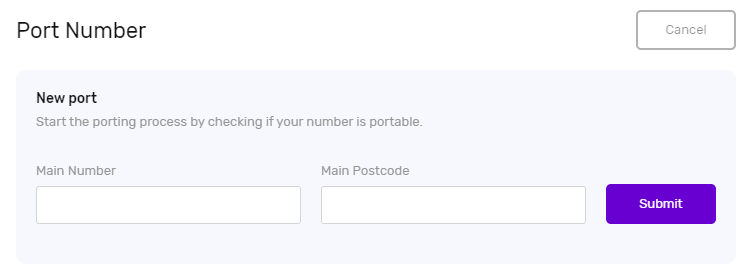
Enter the number you wish to port along with the associated postcode and press the ‘Submit’ button.
This will check the Range Holder that the number requested belongs to. If no porting agreement exists with the Range Holder, you will see an error message as this number cannot be ported.
View a list of the Geographic Number Porting agreements currently in place for PhoneLine+
Complete all information required to process the port.
Troubleshooting
If you are not able to port a number on behalf of a customer, please check the following:
- The number you have entered is valid.
- The number you are trying to port is available to port. For PhoneLine+ porting is only available for single line Geographic numbers with providers with whom Gamma hold existing porting agreements.
- The number does not already exist on the Gamma network on another IP-based product not covered by the porting process (this does not include WLR), as porting is only used for moving numbers between network providers.
- The number is a single-line number. Multi-line numbers, including RCF or caller redirect numbers, cannot be ported.
- The customer account’s name is below 50 characters (including spaces). Customer accounts with names longer than 50 characters will cause a port to fail.
- If you have added a Losing Provider Reference, ensure it is no longer than 25 characters, is alphanumeric, and has no special characters.
- Your browser is up-to-date.
If you are still having issues, please contact the PhoneLine+ support team.