
Amending your customer’s international calls settings
International calls settings can be enabled at any time on the PhoneLine+ Partner Portal, should your customer request it. Here’s how.
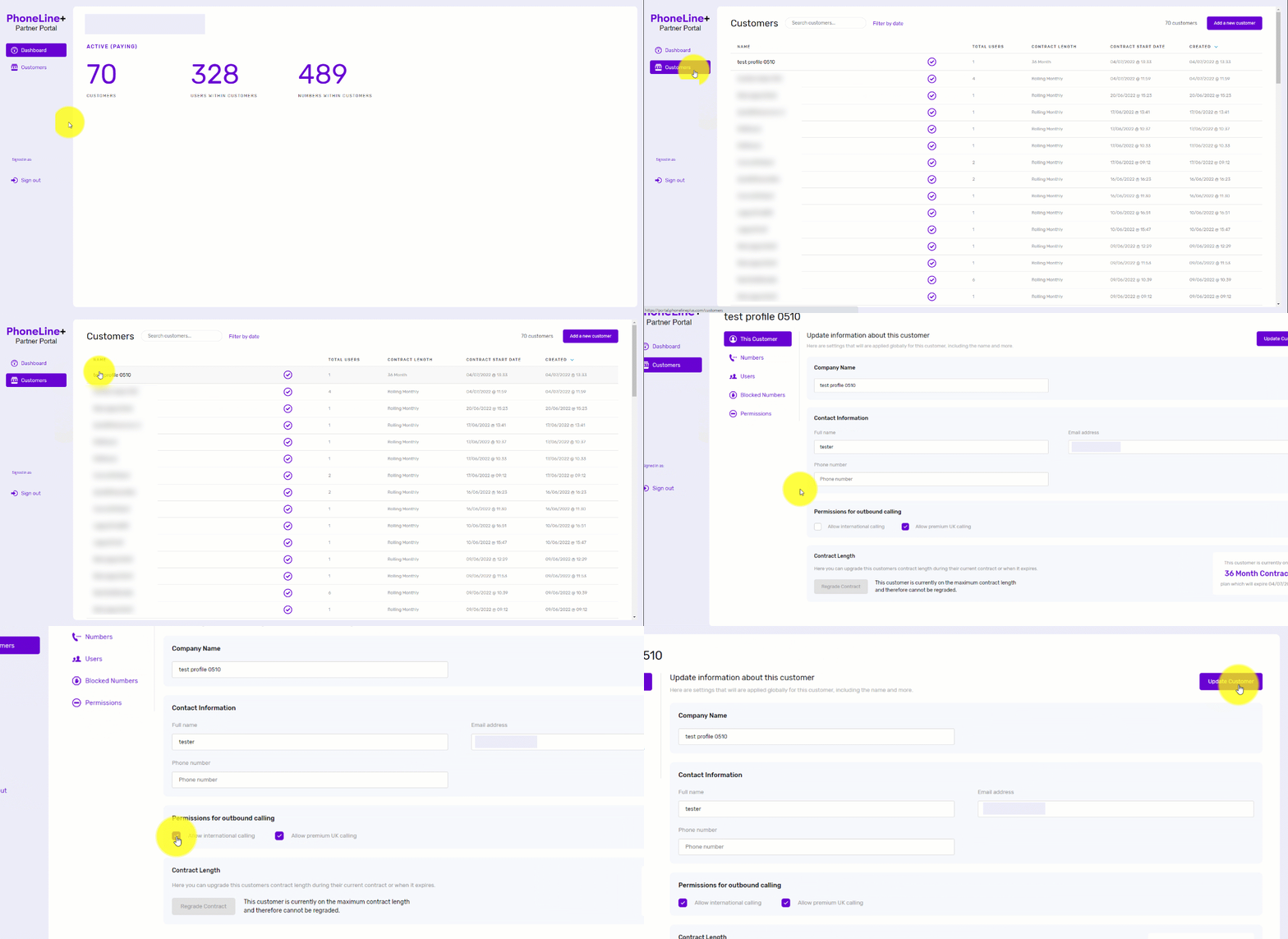
- Simply log in to the PhoneLine+ Partner Portal
- Click ‘Customers’ then choose the customer company from the list that appears
- Under ‘This Customer’, navigate to ‘Permissions for outbound calling’ then tick the box next to ‘Allow international calling’
- Click ‘Update Customer’ to save the new settings.
And you’re done!
How are we doing?
Did you find the training on this page useful? Let us know by giving us a thumbs up below. To give us detailed feedback on the content you would like to see, please complete the PhoneLine+ Feedback form.