
Outbound call permissions
Amending outbound call settings on a company-wide level
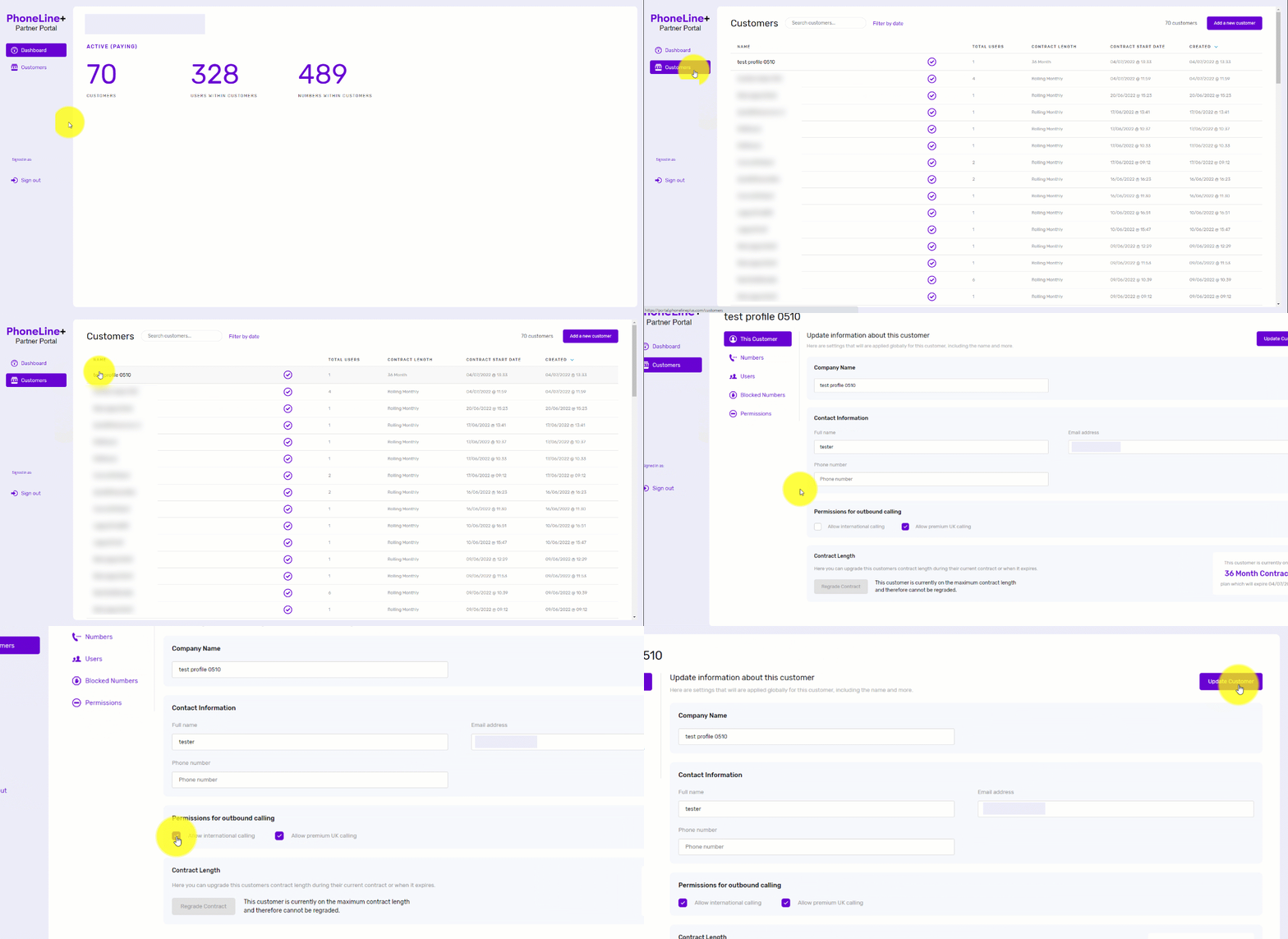
Outbound call settings (premium and international numbers) can be enabled for your customer companies on a company-wide level at any time via the PhoneLine+ Partner Portal.
Here’s how:
- Simply log in to the PhoneLine+ Partner Portal
- Click ‘Customers’ then choose the customer company from the list that appears
- Under ‘This Customer’, navigate to ‘Permissions for outbound calling’ then tick the box next to ‘Allow international calling’ or ‘Allow UK premium number calls’
- Click ‘Update Customer’ to save the new settings.
Enabling international and/or premium calling for individual users
Some PhoneLine+ user companies may not have access to the PhoneLine+ soft client, such as those who have provisioned the hardware-only version of the service. This means that there is no Administrator to adjust outbound call permissions for individual users within that company.
The PhoneLine+ Partner Portal now has additional steps that give Channel Partners the option to enable this functionality for individual users within their customer companies.
To do this:
- Click on ‘Customers’ and select a customer company
- Click ‘Users’ within that company
- Select a user from the list that appears
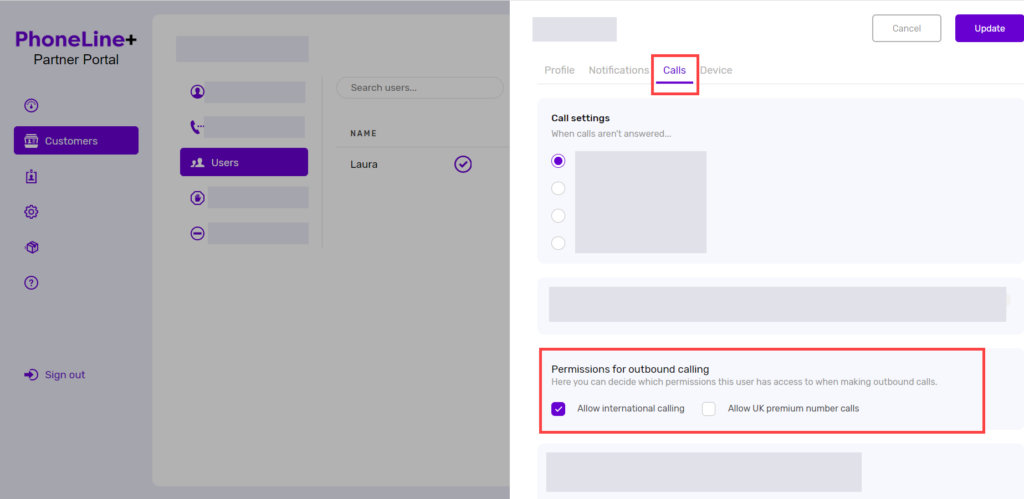
- Click the ‘Calls’ tab
- Scroll down to the ‘Permissions for outbound calling’ section.
You will now be able to toggle these settings at an individual user level. This action can be carried out for both hardware-only customers and customers with access to the PhoneLine+ soft client.
How are we doing?
Did you find the training on this page useful? Let us know by giving us a thumbs up below. To give us more detailed feedback on the content you would like to see, here please complete the PhoneLine+ Feedback form.